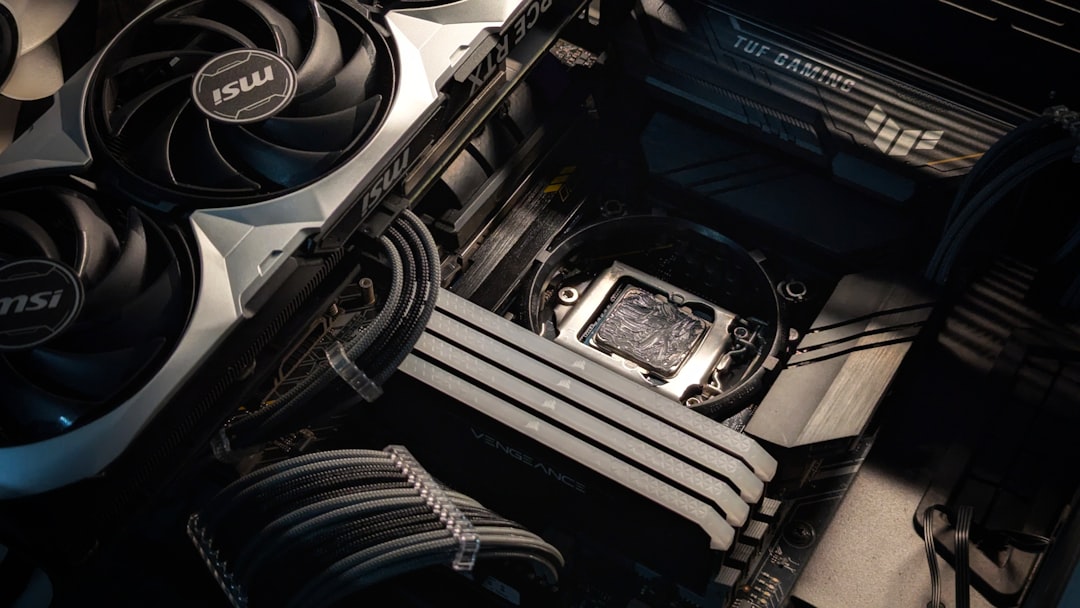
Building a custom PC is a rewarding experience, but one of the most important and complex decisions for any build is choosing the right graphics card. A GPU (Graphics Processing Unit) can dramatically affect your system’s performance, especially for gamers, video editors, and creative professionals. With a multitude of brands, models, and technical specifications, selecting the right graphics card can feel overwhelming. However, understanding a few key factors can help narrow down your choices significantly.
1. Determine Your Needs
The first step in choosing the right graphics card is understanding how you plan to use your PC. Different tasks require different levels of GPU performance:
- Gaming: Most modern games require a mid to high-end GPU, particularly if you want to play at 1080p, 1440p, or 4K resolutions with high settings.
- Content Creation: Video editing, 3D rendering, and graphic design benefit greatly from GPUs with large amounts of VRAM and hardware acceleration capabilities.
- General Use: If your build is for basic browsing, media consumption, or office tasks, integrated graphics or a budget GPU will suffice.
2. Compatibility with Your System
Before selecting a GPU, ensure it’s compatible with the rest of your setup:
- Motherboard: Most modern graphics cards use a PCIe x16 slot, which is standard on ATX and Micro-ATX motherboards.
- Power Supply: Check the GPU’s power requirements, including wattage and connector types. Ensure your PSU can handle it.
- Case Size: Graphics cards come in various sizes. Make sure it fits your PC case, especially in small-form-factor builds.
[ai-img]graphics card, gaming pc, hardware[/ai-img]
3. VRAM Matters
Video RAM (VRAM) manages tasks like texture storage and rendering. More VRAM helps with higher resolutions and texture-rich games or professional workloads. Here’s a basic guideline:
- 4GB: Suitable for 1080p gaming with medium settings in older or less demanding games.
- 6GB–8GB: Ideal for 1080p and 1440p gaming at high to ultra settings.
- 10GB and up: Best for 4K gaming, VR, and demanding creative work.
4. Performance Benchmarks
When comparing GPUs, it’s important to refer to up-to-date benchmark results across the games or applications you plan to use. Benchmarks show real-world performance differences and help validate whether the GPU justifies its price tag. Websites like PassMark, UserBenchmark, or professional reviews from tech outlets can be great resources.
5. Ray Tracing and DLSS Support
Newer features like ray tracing and NVIDIA’s DLSS (Deep Learning Super Sampling) are changing the gaming landscape. Ray tracing creates more realistic lighting and reflections, while DLSS boosts performance using AI. Consider a card that supports these technologies if you’re interested in next-gen experiences.
[ai-img]ray tracing, DLSS, realistic lighting[/ai-img]
6. Budget Considerations
Set a clear budget for your GPU. Prices range from under $150 for entry-level models to well over $1,000 for high-performance cards. Keep in mind that spending slightly more can provide significantly better performance, especially in the mid-range segment. Familiar brands like NVIDIA (GeForce series) and AMD (Radeon series) offer options for all budget levels.
7. Future-Proofing
If you want a build that lasts several years, consider investing in a GPU with a bit more power than you currently need. This ensures smoother performance over time as games and software become more demanding. However, be wary of paying a premium for features you won’t use within your build’s lifecycle.
FAQs
- Q: How do I know if a GPU will fit in my case?
A: Look at your case’s maximum GPU length specification and compare it to the card’s dimensions listed by the manufacturer. - Q: Is it worth waiting for the next GPU release?
A: If a new generation is close to launch (within 2–3 months), waiting might result in better pricing or newer technology. Otherwise, buy what suits your needs now. - Q: Can I use any GPU with any CPU?
A: Generally yes, but pairing a high-end GPU with a weak CPU may cause bottlenecks. Aim for balance between the two. - Q: Do I need a GPU if my CPU has integrated graphics?
A: Not always. For general tasks, integrated graphics are often enough. For gaming or creative editing, a dedicated GPU is recommended. - Q: How long will a graphics card last?
A: A good GPU can last anywhere from 3 to 5 years depending on usage and performance demands.
Choosing the right graphics card doesn’t have to be daunting. By evaluating your specific needs, checking compatibility, and understanding performance metrics, you can select the perfect GPU to complement your PC build and enjoy smooth and powerful computing for years to come.
Related posts: